
Beyond the Downloadable Form: Designing Beneficiary Changes Inside the Policyholder Portal
Verdocs Team
A submitted form is not an accepted change. Here's how to connect authority, signatures, review, and confirmation.
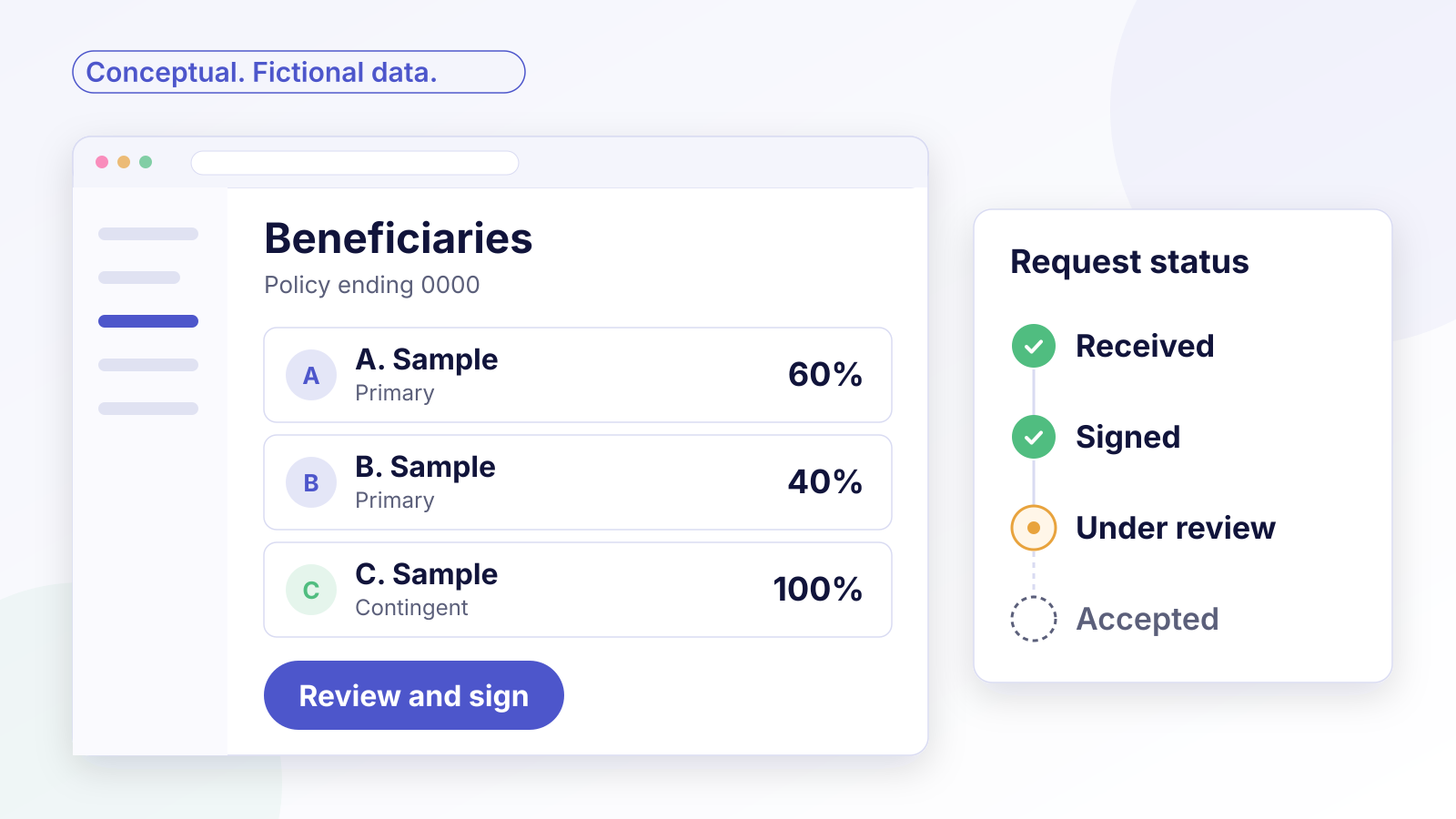
When a beneficiary-change process relies on a downloadable form, the owner may have little visibility after submission. This piece is for carrier servicing, digital, and technology teams designing that request inside the policyholder portal.
F&G's published process is a useful example of the stages involved. The owner completes and submits the form, F&G processes the request within three to five business days after receiving all required information, and a confirmation goes to the owner's address on record. That's four distinct stages: completed, submitted, processed, and confirmed.
A portal can make that process faster and clearer. But moving the form online doesn't remove the stages. A good design keeps them visible, so the owner and the servicing team both know whether a request was received, signed, under review, or accepted.
Choose the beneficiary changes eligible for self-service
Not every change belongs in a self-service flow. A reasonable starting scope is the straightforward case: an individually owned policy, no collateral assignment, no irrevocable beneficiary, and a request from the owner.
Product, jurisdiction, and execution requirements also affect eligibility. Some may call for notarization or other execution steps that an ordinary signature flow doesn't cover. Everything outside the self-service scope can still start in the portal, but it should route to review rather than complete automatically. That keeps the simple cases simple without forcing complex ones through a path that wasn't built for them.
Establish who owns the policy and who may act
Before anyone signs, the portal needs to know who is allowed to make this change. Ownership and authority vary:
- Owners sign. Corebridge's annuity beneficiary change form, for example, requires the owner's signature, plus a joint owner or trustee where applicable.
- Assignments matter. The same form notes that a change on a collaterally assigned contract is subject to the assignee's rights.
- Contract terms matter. The form also warns that changing the primary beneficiary might affect a living benefit, where one applies, and points the owner to the contract. That's one form's provision, not a universal annuity rule, but it shows why contract rules need checking before a change is treated as routine.
- Representatives need documentation. Someone acting under a power of attorney or as a guardian is asking to act for the owner, and the carrier decides what proof it needs.
Identity and authority are separate checks. Verifying that a person is who they say they are doesn't establish that they may change this policy. We cover that distinction in Matching Signer Verification to the Insurance Transaction.

Validate beneficiary information before requesting signatures
A signature request built on incomplete data creates rework. Validate first:
- Required fields for each beneficiary, such as name, relationship, and share.
- Shares that add up correctly for primary and contingent beneficiaries.
- Trust beneficiaries with the trust's name and date, if the carrier requires them.
Then generate the change document from the validated data, with those values read-only during signing. The owner reviews exactly what the carrier will process. If the owner spots an error, give them a way to request a correction before signing rather than asking them to sign something they say is wrong.
Route joint-owner, trust, and representative exceptions
The hardest cases involve someone acting for the owner. A daughter signs in to the portal with her own representative access and asks to change the beneficiary on her father's policy, saying she holds his power of attorney. Her identity can be verified, but that doesn't make her authorized to act on this policy.
The workflow should route her request to carrier review before any signing request goes out. The carrier reviews the power-of-attorney document under its own requirements, then decides whether to proceed, and with which signer. Only then does the appropriate signing path start.
Joint ownership and trust ownership follow the same principle. For joint ownership, identify every required signer and use the sequence the carrier requires; otherwise, signatures can be collected in parallel. For trust ownership, confirm the authorized trustee or trustees and any required evidence before routing the request. When authority is unclear, the request goes to review rather than guessing.
Confirm acceptance and reconcile the policy record
The most important design choice is separating statuses that a downloadable-form process tends to blur:
- Request received: the portal has the request.
- Signature requirements complete: every required party has signed.
- Review pending: the carrier is checking the request against the policy and its rules.
- Accepted and confirmed: the carrier has accepted the change, updated the policy record, and confirmed it to the owner.
The order isn't fixed. A representative request, for example, goes to review before any signing request.

Some requests branch off. The carrier may need more information or may decline the change, and the owner should see that clearly rather than an indefinite "processing" message. The carrier also determines when the change takes effect under the contract and its rules. Signing alone doesn't set that date.
The handoff between portal, distributor, and carrier records is getting industry attention as well. In August 2026, IRI published an executive summary of a beneficiary replacement standard for exchanging beneficiary data and change requests between distributors, service providers, and carriers. Whatever exchange a carrier uses, the same principle holds: the portal's request status and the carrier's record need to be reconciled, not assumed to match.
To measure how well the flow works, track the share of requests completed in self-service, the share routed to review and why, the time from request to confirmed acceptance, and the reasons requests are returned for more information.
Where Verdocs fits
Verdocs provides embedded, white-label eSignature for carriers and the platforms they use. In a beneficiary change, that means signing inside the policyholder portal under the carrier's brand, after the carrier's own checks have decided who must sign, and status events that keep "signatures complete" separate from "accepted and confirmed." For the mechanics, see Insurance Documents by API.
A consistent experience across the lifecycle starts earlier, at delivery; see From Approved to In Force: Connecting Life Insurance Policy Delivery and Signing.
Explore one eligible servicing transaction as an initial embedded-signing project. Schedule a conversation.