
Reducing Annuity NIGO: Where eSignature Helps
Verdocs Team
A signed application can still fail processing. Match each NIGO cause to the controls that address it.
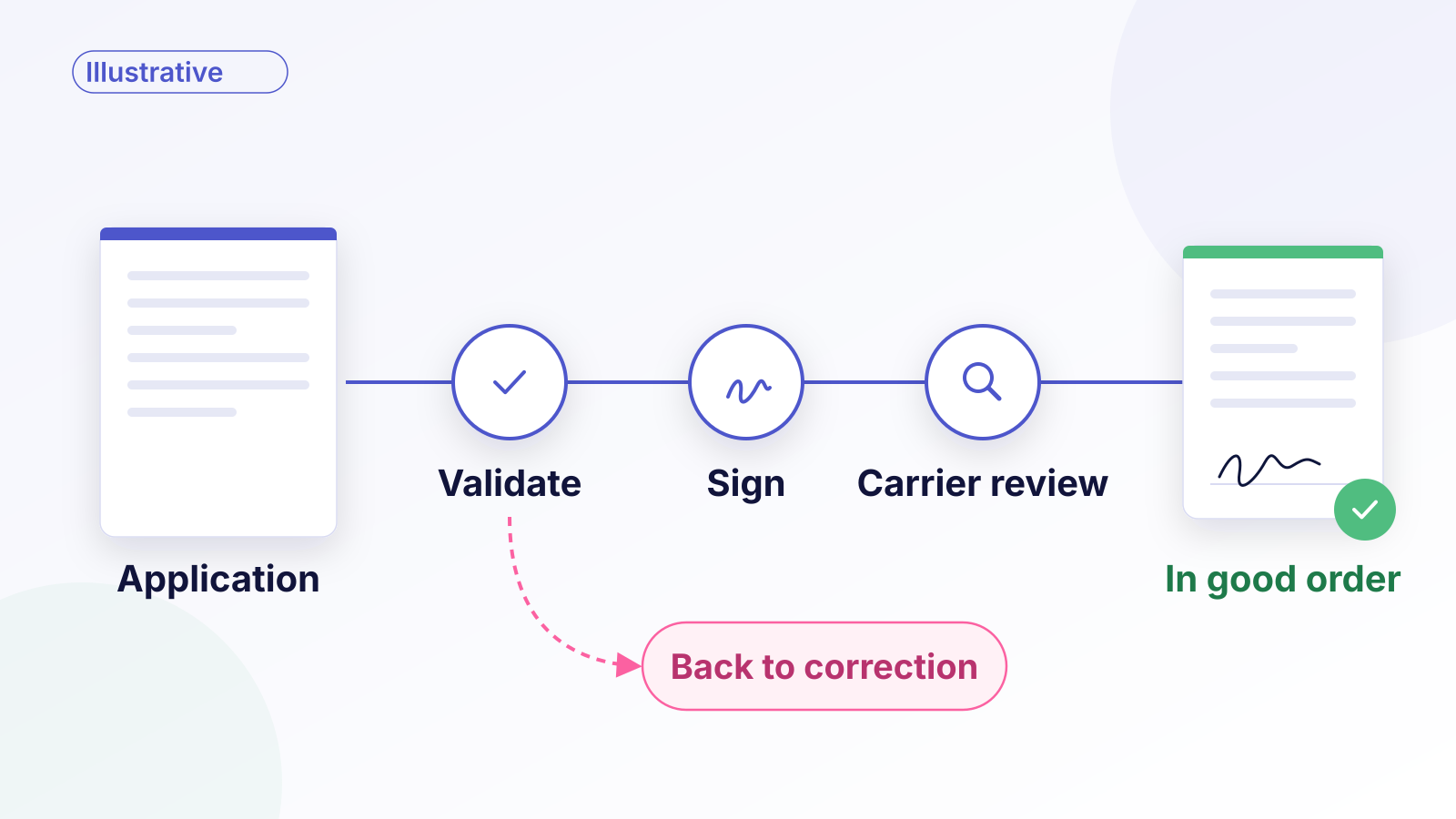
Consider an illustrative case. An annuity application reaches the carrier with every signature in place, and it still can't be processed. The client and the producer answered the replacement question differently. The producer isn't appointed for this product in the client's state. The bank routing number for the premium transfer doesn't validate.
The signing step finished. The application didn't.
That gap matters when carriers look at eSignature as a fix for NIGO, the industry shorthand for applications that arrive "not in good order" and can't be processed as submitted. eSignature can remove a specific set of NIGO causes. Others need different controls, owned by different systems and teams. Sorting out which is which is the first step toward reducing rework rather than relocating it. This piece is for carrier new business, operations, and technology teams deciding where signing fits in the application workflow.
What makes an annuity application not in good order?
NIGO is a catch-all for anything that stops an application from moving forward as submitted. Common causes fall into a few groups:
- Signature problems: a missing signature or date, a missing required party, or a form signed by the wrong party, such as an annuitant instead of the owner, or an individual instead of a trustee for a trust-owned contract.
- Inconsistent data: answers that conflict across forms, skipped questions, or values that don't match. The Insured Retirement Institute's Digital Submission Only best practice (September 2025) points to mismatched answers, skipped questions, and redundant paperwork as frequent sources.
- Producer eligibility: the producer isn't licensed, appointed, or trained for the product in that jurisdiction. DTCC describes how producers sometimes don't learn this until the carrier rejects the order.
- Funding and payment: banking details that fail validation, or transfer paperwork that doesn't match the application.
- Missing state or product requirements: a state-specific form or disclosure that wasn't included.
Which NIGO causes can the signing workflow address?
A well-built signing workflow addresses missing signatures and dates directly. It can make required signature and date fields impossible to skip, show which signers are still outstanding, and return a complete executed record with its audit trail.
The wrong-signer problem is shared. Signing can route each document to the parties the carrier has identified, in the sequence the carrier requires. It can't decide who those parties should be. That decision comes from verified ownership and authority records and the carrier's business rules, so if the records are wrong, accurate routing just delivers the document to the wrong person efficiently.
Signing also can't decide whether the data is right, whether the producer is eligible, or whether the money will move. Those causes need their own controls, and each control needs an owner.

| NIGO cause | Control | Responsible system | Exception owner |
|---|---|---|---|
| Missing signature or date | Required signing fields; completion status | eSignature workflow | New business operations |
| Incorrect signer or missing required party | Determine required parties from verified ownership and authority records; route accordingly | Carrier authority and business rules, plus eSignature routing | New business operations |
| Inconsistent application data | Validation before documents are generated | Order entry or application platform | Producer and case manager |
| Producer eligibility | License, appointment, and training check before submission | Producer management or authorization service | Distribution operations |
| Payment issue | Banking validation before submission | Payment or treasury system | New business and billing |
Validate application data and producer readiness before signing
Catching errors before signing can avoid a second round with the client. Once a signed document goes out with a wrong value, fixing it can mean a new signing request and another trip back to the client.
IRI's Digital Submission Only guidance describes a model where "issuance is based on data, not forms": the carrier processes from validated application data, while required forms are still delivered to the client or signed and returned according to regulatory and business rules. Its baseline is a cash-only, individually owned annuity, with additional data layered on for replacements and special ownership such as trusts. The same guidance recommends validating banking information before submission and mapping state-specific requirements into order entry. For replacements, it calls for the client's and producer's answers to align.
In practice, a strong sequence looks like this:
- Validate the application data in order entry, including cross-form consistency. Where the workflow covers replacements, that includes matching the client's and producer's replacement answers.
- Determine the required signers from verified ownership and authority records, and confirm producer authorization for the product and state.
- Validate banking details for the premium.
- Generate the signing packet from the validated data, with approved values set as read-only so they can't be changed during signing.
- Route the packet to the owner, any joint owner or annuitant, and the producer, in the sequence the carrier requires, or in parallel where it doesn't require one.
Read-only values keep the signed document consistent with the validated data, but they need an escape route. If the client spots an error, let them request a correction before signing. Don't require anyone to sign information they say is wrong.
Step 4 is also where the signing system meets the data. Verdocs maps template fields to application data. With strict prefill validation enabled, mapping errors can stop the request, and a dry run can check the mapping without creating an envelope. These checks complement the carrier's application validation. They don't determine whether an annuity application is eligible or in good order.
Handle corrections without losing the approved document version
Errors don't only surface before signing; carrier review after submission can find them too. Take a harder case. After the client signs, a case manager notices that the transfer amount on the application doesn't match the transfer form. Someone needs to fix it, and the tempting path is to edit the value and keep going.
That breaks the record. The signed document is what the client agreed to. Changing it afterward, even to correct an error, leaves the carrier with a document nobody signed in its current form.

A safer pattern:
- Before signing, a mismatch goes back to correction and validation, and the packet is regenerated.
- After a document has been presented or signed, the change goes to carrier review. The carrier decides whether the correction requires a new signature under its rules, and if so, sends a new signing request for the revised document.
- In both cases, the prior record is preserved and linked to the new one, so the history shows what was signed, what changed, and why.
Measure first-pass acceptance and rework by cause
"NIGO went down" is too blunt to manage. Start with a measured baseline from your own data, then track:
- First-pass in-good-order rate, overall and by product and channel. One workable definition: submissions accepted in good order without a correction cycle, divided by all submissions assessed in the same cohort. Count cases still pending at the cutoff separately rather than as passes or failures. This is a proposed definition, not an industry benchmark.
- NIGO by cause, using the groups above, with signature-related NIGO reported separately from data, eligibility, and payment causes.
- Rework touches per application: how many times a case goes back to a producer or client.
- Time from submission to in good order.
If a signing project is the change you're testing, the signature-related categories are where you should expect movement. Improvements elsewhere come from the other controls.
Keep the signing status and the application status separate in reporting, too. A completed envelope says the documents were executed; the carrier's application status says whether the case can move. In June 2026, IRI published an executive summary of an application status standard meant to give carriers, distributors, and service providers a consistent way to track annuity application status. Whatever status model you use, reconcile the two signals rather than treating one as the other.
Where Verdocs fits
Verdocs provides embedded, white-label eSignature for carriers and the platforms they use. In an annuity application, that covers the signing stage of the sequence above: packets generated from validated data, routing to the parties your records identify, and executed documents returned with a certificate of completion and audit trail, with status events your systems can reconcile against application status. See how this works for insurance carriers and platforms.
Signing is one stage of the policy lifecycle. After issue, the delivery stage brings its own requirements; we cover that in From Approved to In Force: Connecting Life Insurance Policy Delivery and Signing.
Map one annuity application packet with us and identify where signing or disconnected status creates rework. Schedule a conversation.